Go to the Apple Menu.
Go to the Control Panels.
Click on MacTCP.
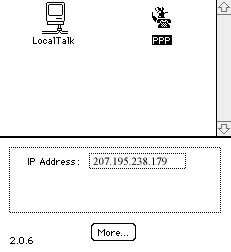
When the MacTCP window is open, click on PPP so it is highlighted and then click on More. (See Image #1)
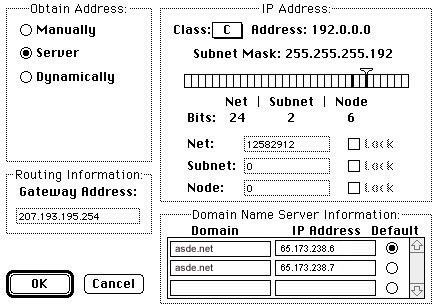
Under Domain Name Server Information, asde.net should be typed in the first two boxes under Domain.
In the first box under IP Address type:
-
65.173.238.6
In the second box under IP Address type:
-
65.173.238.7
(See Image #2)
When finished, click OK.
You have successfully changed your DNS numbers for ASDE Net.