Start up Outlook Express.
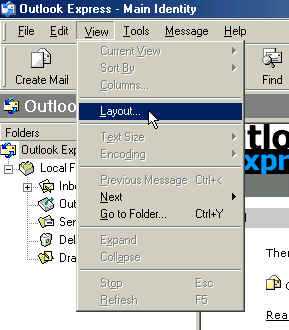
Click on View on the menu bar. Then click on Layout. (See "Image #1")
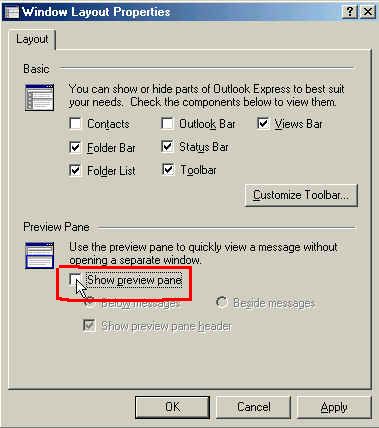
Remove the checkmark from Show preview pane box. (See "Image #2") (To remove the checkmark, just click in the box.)
Click on Apply and then OK at the bottom of the window. (See "Image #2")